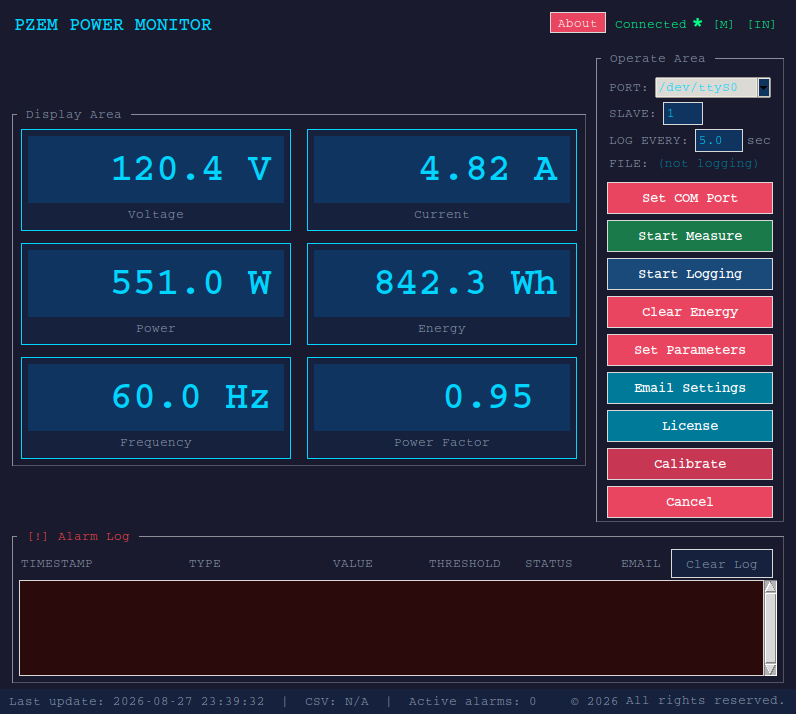
Main monitoring screen
Live electrical measurements, COM-port selection, measurement and
logging controls, and the alarm log.
PZEM-014 and PZEM-016 provide the measurements. PZEM Power Monitor gives you the desktop tools to monitor, log, and respond to them. Watch voltage, current, power, energy, frequency, and power factor in real time; set alarm thresholds; log measurements to CSV; and receive email alerts — on Windows, macOS, or Linux.
The PZEM itself just measures. PZEM Power Monitor is the interface, the logbook, and the alarm system built around it.
These are screenshots from the actual desktop application — not product mockups. Open any image for a larger view.
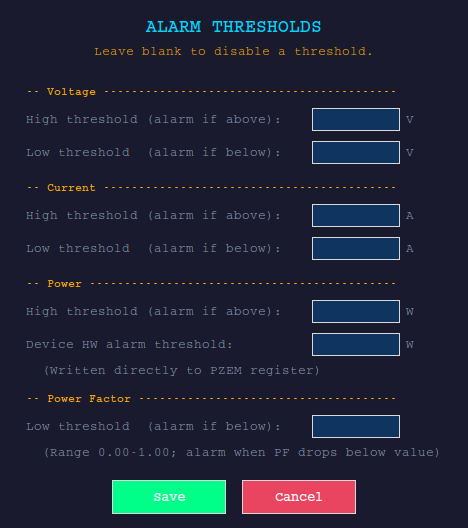
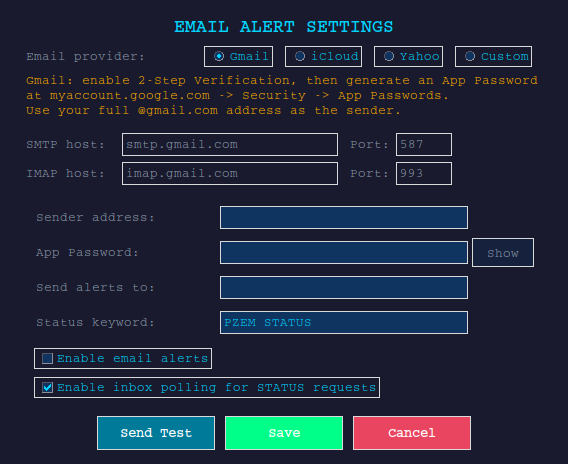
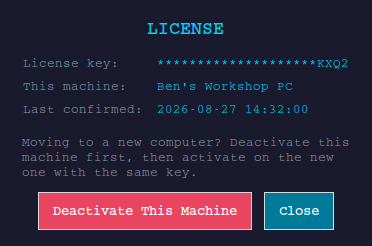
Screenshots show the actual PZEM Power Monitor interface. The available controls can vary slightly by platform and application version.
PZEM Power Monitor is useful anywhere you want the PZEM measurements to become a persistent desktop record, a threshold-based warning, or a remote check-in.
Email alerts above are the app reaching out to you. This is the other direction: send the computer running PZEM Power Monitor a message with "PZEM STATUS" in the subject line, from anywhere, and it writes back with your current readings and a screenshot of the app. No VPN, no remote desktop, no port forwarding.
PZEM modules connect to live main wiring. Always follow your local electrical code and the module manufacturer's instructions when wiring one in. Use caution when working with electrical wires.
PZEM-014 and PZEM-016, connected over their serial (Modbus) interface.
No. Everything happens through the app's interface — connect your device, pick the COM port, and go.
Each license activates on one machine at a time. If you get a new computer, open the License panel and deactivate the old one first — that frees the activation for the new machine. If you need a site license, then contact support.
PZEM Power Monitor keeps working. It checks in with the license server when it can, warns you once you're inside 7 days of the grace period, and only locks after 30 days with no successful check-in. If you need a permanent offline license, then contact support.
Gmail, iCloud, and Yahoo have one-click presets. Any other provider that supports SMTP and IMAP with a username and password (an app password, where required) works through the "Custom" option.
Refunds go through Lemon Squeezy. Once a refund is issued, the license is disabled and the app locks on its next check-in — full terms are in the license agreement shown when you first launch the app.
Use the orders icon in the top navigation, or go to Lemon Squeezy's My Orders page directly. Lemon Squeezy uses the email from checkout and a secure magic link; you do not create a PZEM GUI username or password.